QA needs release evidence
Quality teams need clear temperature history, excursion context, and certificates before accepting or releasing temperature-sensitive products.
Solution / Pharma temperature monitoring
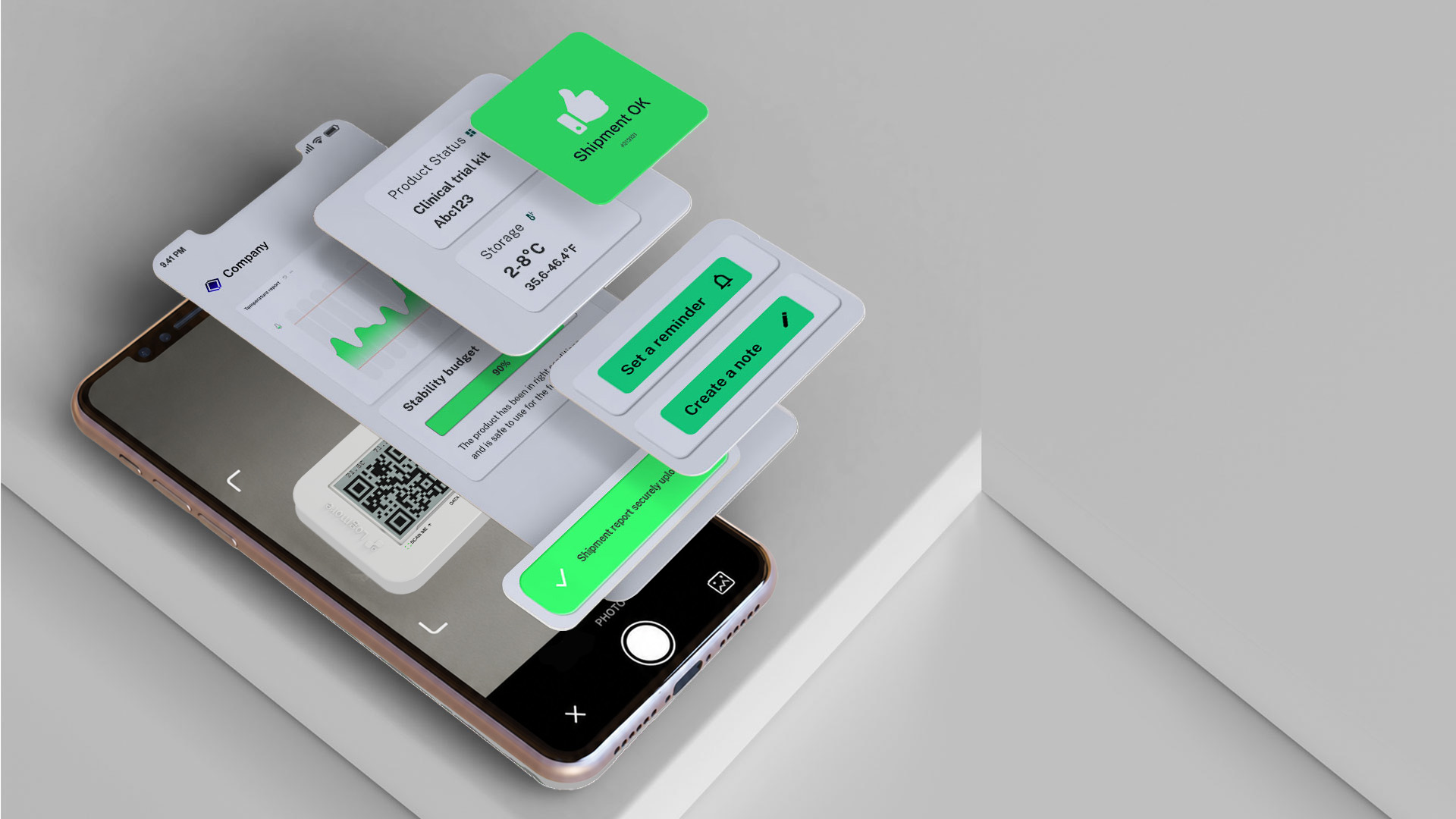
Logmore gives pharma QA teams QR temperature logger data, cloud shipment reports, audit trails, and calibration documentation without USB readout at receiving.
When this matters
Quality teams need clear temperature history, excursion context, and certificates before accepting or releasing temperature-sensitive products.
Hospitals, wholesalers, depots, and partners may not allow unknown USB devices or local readout software on their computers.
Cloud upload makes reports available to QA, logistics, and partners without waiting for emailed files.
How Logmore helps
Logmore connects physical shipment monitoring with reviewable cloud records so QA, logistics, and partners can work from the same evidence.
Shipment data uploads through a QR scan, reducing manual file handling at receiving sites and keeping evidence connected to the cloud record.
Temperature graphs, time outside limits, scan events, comments, certificates, and exports help quality teams evaluate shipment condition.
Audit trails, permissions, calibration certificates, validation materials, and secure records support regulated pharma quality processes.
Recommended setup
The right setup depends on product risk, return logistics, sensor needs, and the evidence your team needs after the shipment arrives.
Use single-use loggers for hard-to-recover international lanes, reusable loggers for recurring domestic routes, and probe models for frozen or dry ice shipments.
Configure thresholds, shipment templates, certificates, comments, and report exports around the product stability profile and QA review process.
Use Logmore API once mission creation, receiving scans, release status, or partner reporting needs to connect with quality, ERP, WMS, or TMS systems.
GxP and QA
Pharma teams need evidence that can be reviewed, explained, exported, and governed inside their own quality process.
Use scan upload at receiving so QA can review temperature history, time outside limits, certificates, and comments before release.
Keep logger identity, thresholds, scan events, user actions, certificates, and exports connected to the shipment record.
Logmore supports regulated workflows with documentation, controlled records, permissions, and audit trails. The customer owns validation and release decisions.
Scenarios and evidence
Attach a logger before dispatch, scan at receiving, and give QA a report with temperature history, excursion context, scan events, and certificates.
Use QR upload when depots, hospitals, labs, and couriers need a simple way to send evidence back to a central quality team.
Use the same mission data to support product-specific review when one shipment contains materials with different stability profiles.
Workflow
Keep the monitoring process clear enough for warehouses, receivers, QA teams, and partners to repeat.
Set logger type, measurement interval, thresholds, product profile, and reporting rules before dispatch.
The QR data logger records condition history while the shipment moves through carriers, handoffs, dwell time, and receiving.
A normal phone scan uploads data to Logmore Cloud without USB readers, installed receiver apps, or local report files.
Quality and logistics teams review reports, alerts, audit trails, certificates, comments, and exports from one cloud record.
Common objections
No. Logmore provides shipment evidence and controlled records; product release and deviation decisions remain inside the customer's quality system.
No. Use real-time tracking when intervention during transit changes the outcome. Use QR loggers when evidence at receiving or review is the main need.
Product context
Industry overview for regulated pharma, life science, vaccine, sample, and clinical trial shipments.
Open pageExample of reducing manual QA work with automated temperature analysis.
Open pageExample of QR-based shipment status checks for pharmaceutical distribution.
Open pageLogger models for temperature, humidity, shock, light, and dry ice lanes.
Open pageCloud reports, dashboards, alerts, audit trails, certificates, comments, and exports.
Open pageConnect mission data to quality, logistics, WMS, TMS, and control-tower systems.
Open pageFAQ
It is the recording and review of temperature conditions for pharmaceutical products during storage or transport. In shipping, it supports QA release, deviation review, carrier follow-up, and regulatory documentation.
Yes. Logmore replaces USB readout with QR scans that upload shipment data to Logmore Cloud, where teams can review reports, certificates, audit trails, and alerts.
Logmore supports regulated workflows with secure records, audit trails, permissions, reports, calibration certificates, and validation materials. Final compliance depends on the customer's quality system and validation work.
Logmore logger models can support common ambient, cold chain, and deep-cold use cases. External probe models support dry ice and deep-cold monitoring needs.
No. Upload users can scan the QR code with a normal smartphone camera. They do not need a Logmore app, account, login, or USB reader to upload data.
Yes. The workflow can be designed so one shipment record supports product-specific reporting when multiple products travel together.
Yes. Reusable loggers fit controlled domestic loops, while single-use workflows fit international and customer-direct lanes where device return is hard.
Related pages
Talk with Logmore about logger models, temperature ranges, certificates, validation materials, reports, and integrations for regulated pharma lanes.